Convert HEX Colors to RGB Online
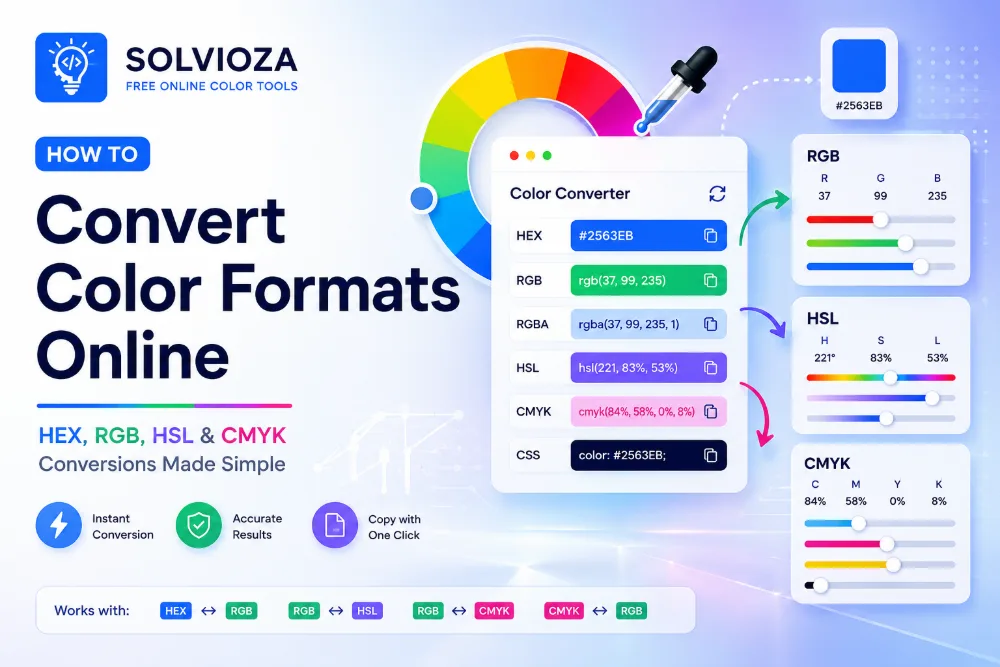
HEX to RGB Color Converter by Solvioza helps you convert HEX color codes into RGB and RGBA values instantly. Enter a HEX code, choose a color visually, or copy a converted value for CSS, web design, UI development, and digital design workflows. For a broader overview of compatible formats, read the online color conversion guide.
The tool supports common HEX formats, including 3-digit shorthand HEX, standard 6-digit HEX, and 8-digit HEX with alpha transparency. When an 8-digit HEX code is used, the final two characters are converted into an alpha value for RGBA output.
Everything runs directly in your browser. The conversion is fast, private, and does not require uploading files, creating an account, or sending your color values to a server.
What You Can Do with This HEX to RGB Converter
Convert HEX to RGB
Turn HEX colors like #A013EC into RGB values like rgb(160, 19, 236) for CSS and design tools.
Convert HEX Alpha to RGBA
Use 8-digit HEX codes such as #A013EC80 and get the matching RGBA color with transparency.
Select Colors Visually
Use the color picker to choose a color and instantly see the matching HEX, RGB, and related color details.
Copy Values Quickly
Copy HEX, RGB, RGBA, plain RGB, and CSS-friendly values with one click.
Supported HEX Color Formats
Use shorthand, standard, or alpha-enabled HEX input depending on whether your color needs transparency.
| Format | Example | Meaning |
|---|---|---|
| 3-digit HEX | #ABC |
Short form that expands to #AABBCC. |
| 6-digit HEX | #A013EC |
Standard HEX color using red, green, and blue channels. |
| 8-digit HEX | #A013EC80 |
HEX color with alpha transparency in the last two digits. |
How HEX to RGB Conversion Works
A standard HEX color contains three color channels: red, green, and blue. Each channel is written as a two-character hexadecimal value. For example, in #A013EC, A0 is red, 13 is green, and EC is blue.
Each HEX pair is converted from base 16 into a decimal number from 0 to 255. That decimal result becomes the RGB value. So #A013EC converts to rgb(160, 19, 236).
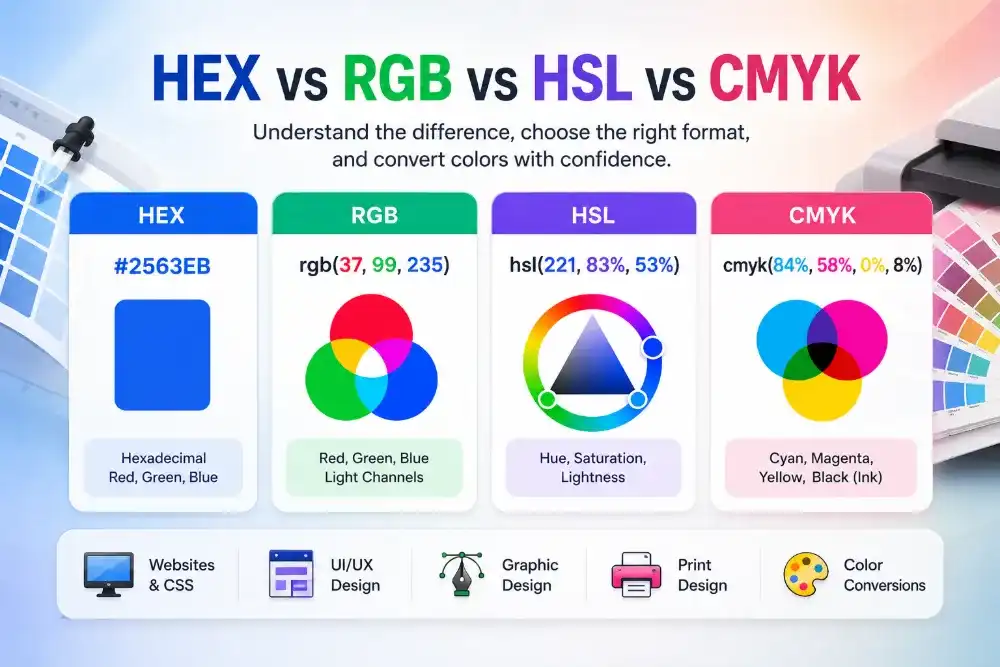
For 8-digit HEX colors, the last two characters represent alpha transparency. FF means fully opaque, 00 means fully transparent, and values between them create partial transparency. The HEX, RGB, HSL, and CMYK comparison explains how these models differ.
How to Convert HEX to RGB Online
- Enter a HEX color. Type a 3-digit, 6-digit, or 8-digit HEX color code into the HEX field. If you do not know the code, sample it with the Screen Color Picker or pick it from an uploaded file using the Image Color Picker.
- Or select a color. Use the Select Color button to choose a color visually from your browser color picker.
- Review the RGB result. The tool instantly shows the matching RGB value, and RGBA when alpha is included. To identify the color in plain language, use the Color Name Finder and the HEX color-name guide.
- Edit RGB channels if needed. Change red, green, or blue values manually to fine tune the selected color.
- Copy the output. Use the copy buttons to copy HEX, RGB, RGBA, plain RGB, or CSS-ready values.
- Reuse recent colors. Select a recent color swatch to return to colors you used during the same session.
Common Uses for HEX and RGB Colors
- For CSS: convert HEX colors into
rgb()orrgba()values for backgrounds, borders, text, shadows, and overlays. Combine selected colors with the CSS Gradient Generator; the CSS gradient guide covers linear, radial, and conic backgrounds. - For UI design: inspect exact red, green, and blue channels when matching buttons, cards, badges, forms, and navigation colors. If you need to adjust hue, saturation, or lightness, use the RGB to HSL Color Converter.
- For transparency: convert 8-digit HEX colors into RGBA values that are easier to understand and adjust.
- For handoff: share copy-ready color values with developers, designers, clients, or documentation. For print-related workflows, convert screen colors with the RGB to CMYK Color Converter.
HEX vs RGB vs RGBA
HEX
A compact hexadecimal color format commonly used in CSS, design systems, and style guides.
RGB
A color format based on red, green, and blue channel values from 0 to 255.
RGBA
RGB with an alpha value for transparency, useful for overlays, shadows, glass effects, and subtle UI layers.
Why Alpha Transparency Matters
Alpha transparency controls how visible a color is over another background. In RGBA, alpha is usually written from 0 to 1. An alpha value of 1 is fully visible, while 0 is fully transparent.
This is helpful when creating overlays, disabled states, hover backgrounds, translucent cards, focus rings, modal backdrops, and layered interface effects. If you receive an 8-digit HEX color from a design tool, converting it to RGBA can make the transparency easier to read and adjust. When placing the result behind text, verify the final pair with the Color Contrast Checker and use the WCAG contrast guide to interpret the result.
Private Browser-Based HEX Conversion
The HEX to RGB Color Converter works directly in your browser. Your color values are processed locally, so there is no need to upload data or wait for server processing.
Recent colors are kept only for your current browser workflow, making it easy to compare and reuse colors while you work.
Tips for Using HEX, RGB, and RGBA Colors
- Use HEX when you want a compact color value for CSS or design documentation.
- Use RGB when you need to inspect or adjust individual red, green, and blue channels.
- Use RGBA when you need transparency for overlays, shadows, backgrounds, or UI states.
- Keep color values consistent across your design system, codebase, and documentation. When you need supporting colors around the converted value, build them with the Color Palette Generator.
- Check contrast when placing text over a color, especially for buttons, banners, labels, and cards.