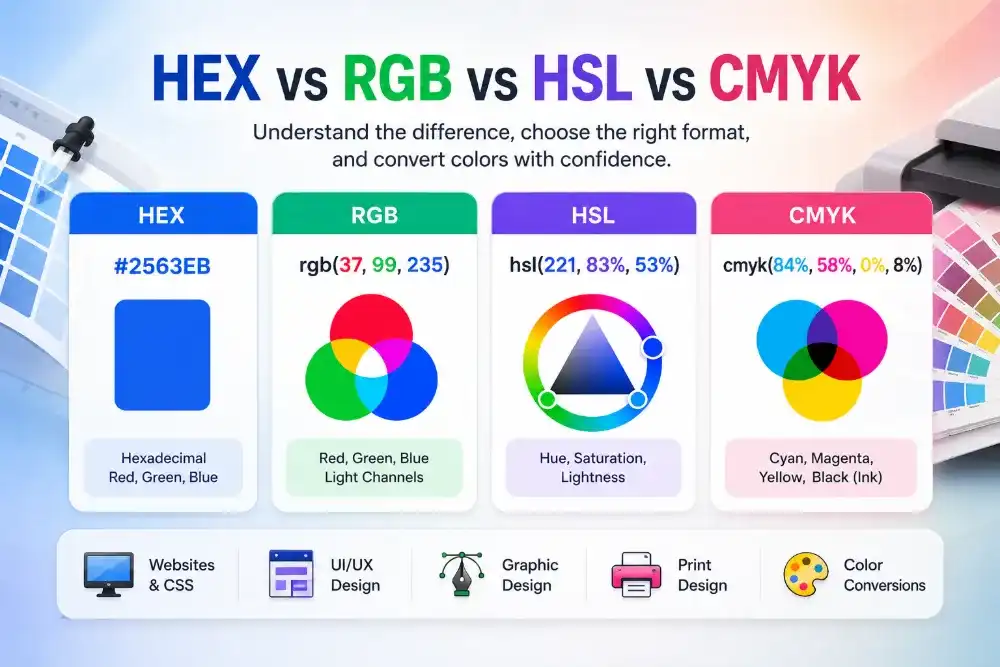
A HEX code is precise, but it is not always easy to talk about.
Tell a developer to use #2F6FE4 and they know exactly which value to enter. Show the same code to a client and they may reasonably ask, “What color is that?”
The Solvioza Color Name Finder finds a practical name for a three- or six-character HEX code. It also displays the color as a large swatch, provides its RGB and HSL values, and suggests nearby named colors for comparison.
How Do You Identify a Color from a HEX Code?
A HEX code represents the red, green, and blue parts of a digital color. In a six-character code such as #2F6FE4, the first pair controls red, the second controls green, and the third controls blue.
Each pair can range from 00 to FF. That gives six-character RGB HEX notation millions of possible combinations. We can store every one of those colors as a number, but giving every combination a unique, memorable name would be impractical.
A color name finder compares the submitted HEX value with a prepared library of named colors. If the code appears in that library, the tool can return the corresponding exact match. Otherwise, it identifies the named color that appears perceptually closest.
Exact Color Name or Closest Match?
These two results sound similar, but they mean different things.
| Match type | What it means | How to use it |
|---|---|---|
| Exact library match | The submitted HEX code is identical to a color stored in the naming library. | Use the name as a direct description of that stored color. |
| Closest descriptive match | The HEX code has no identical entry, so the nearest named color is returned. | Use the name as a practical description while keeping the original HEX code for accuracy. |
An exact library match does not automatically mean the name is an official CSS keyword. Solvioza’s naming library includes standardized CSS colors as well as broader descriptive names intended for design communication.
A closest match is not a claim that the color has one universally accepted name. It means that, within the available naming library, this is the nearest descriptive reference.
Why Most HEX Colors Have No Official Name
CSS supports a limited collection of standardized color keywords such as red, tomato, royalblue, and cornflowerblue. Browsers understand those words anywhere a compatible CSS color value is accepted.
Numeric formats can represent far more colors than that keyword collection. A small change to one HEX pair creates a new value, even when the visible difference is subtle. Most custom HEX colors therefore have no single official CSS name.
The W3C CSS Color specification defines the standardized named colors and their numeric equivalents. It also notes that the names are not distributed evenly across the sRGB color space and are not always internally consistent.
That is why a custom value such as #2F6FE4 generally needs a closest descriptive match rather than an official keyword.
CSS Keywords and Everyday Color Names Are Not the Same
A CSS keyword is part of the language understood by browsers. An everyday color name is a human-friendly description.
For example, a result such as “Muted Deep Azure” may communicate the color’s general character well, but it is not necessarily valid CSS syntax. You should keep the original HEX code in your stylesheet:
:root {
  --brand-primary: #2F6FE4;
}
The descriptive name can still make a design token or comment easier to understand:
:root {
  --muted-deep-azure: #2F6FE4;
}
Do not write the following unless the result is a genuine CSS keyword:
background-color: muted-deep-azure;
A useful rule is simple: use HEX, RGB, HSL, or another supported numeric format for precision. Use descriptive names to help people understand and remember the colors.
How OKLab Finds a Nearby Color
Finding a nearby color is more complicated than comparing the characters in two HEX codes.
Two values can look numerically close but appear noticeably different. Another pair may have larger RGB differences while still looking similar to the human eye. Raw number distance does not describe perception particularly well.
Solvioza converts the entered color and every color in its naming library to OKLab. This color space separates information into a lightness dimension and two color dimensions. It was designed so that numerical changes correspond more closely with perceived visual changes.
The tool calculates a straightforward Euclidean distance between the submitted color and each library entry in OKLab:
distance = √((L₁ − L₂)² + (a₁ − a₂)² + (b₁ − b₂)²)
The entry with the smallest distance becomes the primary color-name result. The next three entries with different HEX values appear under Similar Color Names.
This gives you a main description while still showing nearby alternatives. It is particularly useful when more than one name could reasonably describe the same part of the color spectrum.
The W3C’s discussion of OKLab in CSS Color Module Level 4 explains that its more perceptually uniform structure allows color difference to be measured as a distance in three-dimensional space.

How to Use the Solvioza Color Name Finder
You do not need to understand the matching calculation to use the tool. The result updates as soon as you provide a valid HEX value.
1. Enter Your HEX Code
Open the Color Name Finder and type your value into the HEX color field. You can include the leading # or enter the HEX value without it.
The following formats are supported:
#RGB, such as#36CRGB, such as36C#RRGGBB, such as#3366CCRRGGBB, such as3366CC
A shortened value is automatically expanded and normalized to its full six-character form. For example, #36C becomes #3366CC.

2. Review the Swatch and Closest Name
The result panel updates with a large preview of the submitted color. It also displays the closest color name from the naming library.
Seeing the name and swatch together matters. A label by itself can create the wrong expectation, while the swatch preserves the exact visual reference.
You can copy the primary name directly when you need it for a design note, token label, presentation, or client message.
3. Compare Three Similar Color Entries
The Similar Color Names section shows three nearby entries. Each suggestion includes a descriptive name, HEX code, and color swatch.
The tool excludes entries with an identical HEX value from this list. Because descriptive naming can overlap, two different HEX values may occasionally use the same or a similar name.
Selecting a suggestion makes its HEX value the active color. The swatch, primary name, formats, and nearby matches then update around that selection.
4. Copy the Value You Need
The color details panel shows the active color in HEX, RGB, and HSL. Each format has its own copy button, and the primary color name can be copied separately.
If you need to inspect the numeric conversion more closely, open the HEX to RGB Color Converter.
You can also use Randomize to explore another color or Reset to return to the default example.
Where Color Names Are Actually Useful
A color name does not replace a numeric value, but it can make color work much easier to discuss.
CSS and frontend development
Names make variables and design tokens more readable. Compare --color-2f6fe4 with --brand-azure. The HEX value remains exact, while the name gives the developer a useful visual clue.
Design systems
A descriptive name helps teams navigate a palette without memorizing codes. It can also separate visual description from semantic purpose. “Soft Blue” describes appearance, while “Info Background” describes how the color should be used.
Branding
Clients and stakeholders rarely discuss a palette entirely in HEX codes. Descriptive names make presentations, reviews, and brand documentation more approachable without sacrificing numeric accuracy.
Client communication
“Use the darker blue” becomes ambiguous when a layout contains five blues. A descriptive name paired with a HEX code gives everyone a clearer reference.
Building color palettes
Once you have identified the main color, use the Color Palette Generator to explore related combinations. Keep the HEX values as the source of truth and use names as readable labels.
Use the HEX Code for Accuracy and the Name for Clarity
A descriptive name makes a color easier to remember, discuss, and organize. The HEX code remains the precise value used by your design software, website, or application.
Paste your color into the Solvioza Color Name Finder to identify its closest name, compare three nearby color entries, and copy its HEX, RGB, or HSL value.