Mixing two digital colors is not always about finding the exact midpoint.
A 50/50 blend gives both colors equal influence. A 25/75 blend stays much closer to the second color, while a 75/25 blend favors the first. Add a third color, and the calculation changes again.
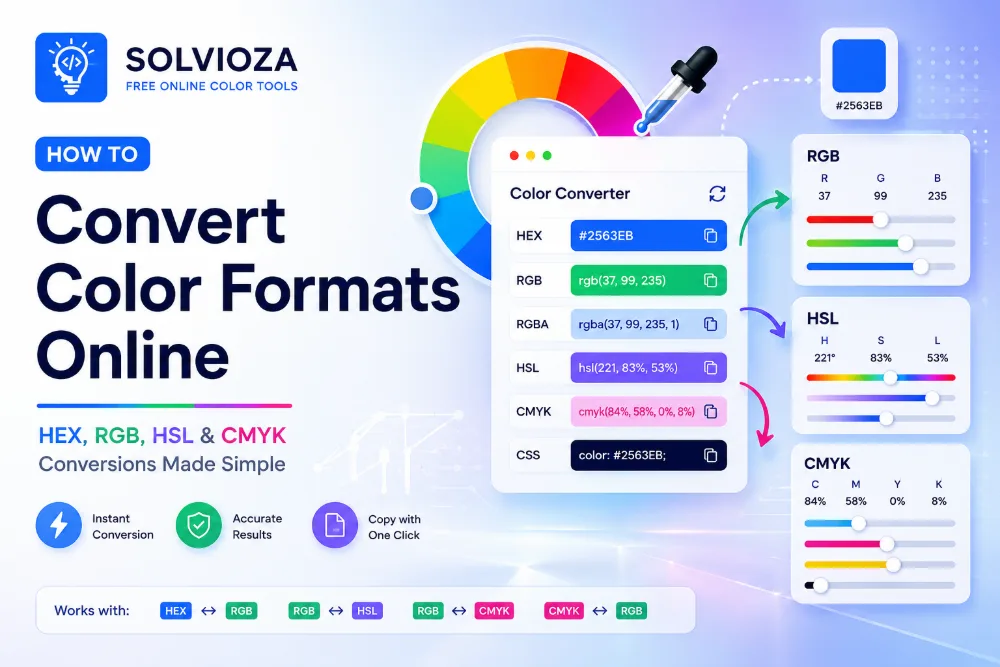
This guide explains how RGB color mixing and weighted blends work. It also shows you how to combine two to five HEX colors with the Solvioza Color Mixer and copy the result in HEX, RGB, or HSL.
What Does It Mean to Mix Colors Digitally?
Digital color mixing combines the numeric red, green, and blue channels of two or more colors.
Every standard RGB channel uses a value from 0 to 255:
rgb(red, green, blue)
For example:
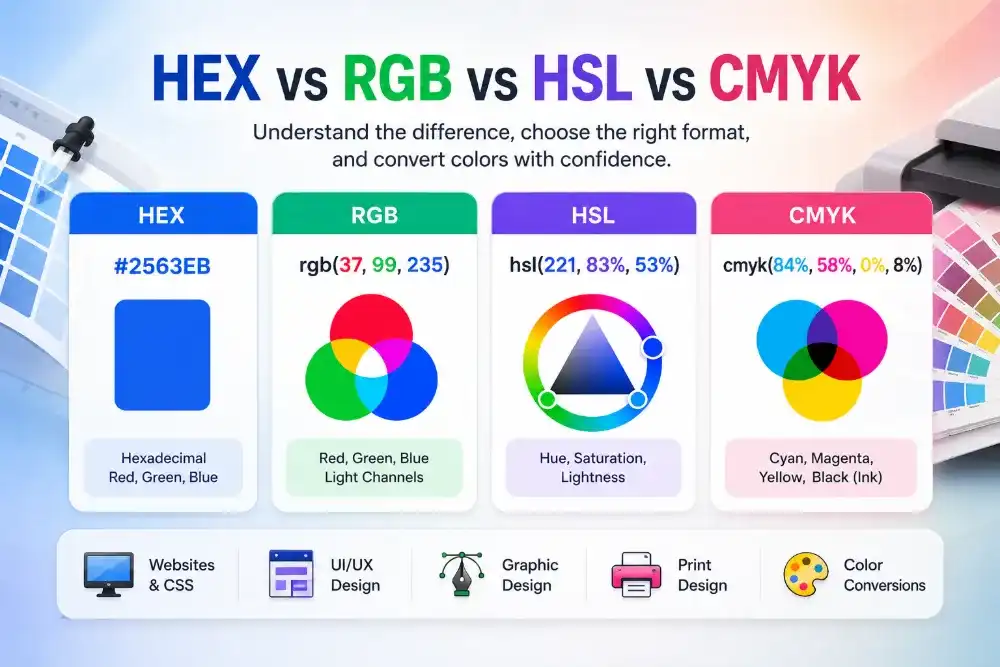
#2563EB = rgb(37, 99, 235)
#EC4899 = rgb(236, 72, 153)
To create a blend, the mixer calculates new red, green, and blue values from the source colors. Those channels are rounded to whole numbers and converted into the final HEX, RGB, and HSL representations.
This is a digital RGB interpolation. It is not the same process as stirring paint, combining printing inks, or mixing physical pigments.
RGB Color Mixing vs Physical Paint Mixing
A screen produces color with red, green, and blue light. Paint and printing inks create color by absorbing and reflecting light through pigments.
Because the underlying processes are different, an online RGB color mixer may not predict the result of combining two physical paints.
| Digital RGB blend | Physical paint or ink mixture |
|---|---|
| Combines numeric RGB channels | Combines physical pigments |
| Designed for screens and digital interfaces | Depends on pigment, material, and lighting |
| Produces a predictable mathematical value | May produce unexpected or muddy results |
| Useful for CSS, UI design, and digital graphics | Useful for painting, ink, dye, and print production |
Use RGB mixing when the final color will appear on a website, application, screen graphic, or digital design. Test physical materials directly when the real-world mixture matters.
How an Equal 50/50 Color Mix Works
An equal blend gives both source colors the same weight.
For two colors, each RGB channel is calculated by adding the matching channels and dividing by two:
Mixed red   = (Red 1 + Red 2) / 2
Mixed green = (Green 1 + Green 2) / 2
Mixed blue  = (Blue 1 + Blue 2) / 2
Consider these colors:
Color 1: #2563EB = rgb(37, 99, 235)
Color 2: #EC4899 = rgb(236, 72, 153)
The red channel is:
(37 + 236) / 2 = 136.5
Rounded result = 137
The green channel is:
(99 + 72) / 2 = 85.5
Rounded result = 86
The blue channel is:
(235 + 153) / 2 = 194
The final mixed color is:
rgb(137, 86, 194)
#8956C2
The result sits numerically between the two source colors. It may not look like the intuitive midpoint you expected because RGB channels do not always match human perception evenly.
What Is a Weighted Color Blend?
A weighted blend lets one color contribute more than another.
If Color 1 has a weight of 25%, Color 2 automatically receives the remaining 75%. The two percentages always add up to 100%.
The formula for each RGB channel is:
Mixed channel =
Color 1 channel x Color 1 weight
+ Color 2 channel x Color 2 weight
Percentages are converted into decimal weights before the calculation:
25% = 0.25
75% = 0.75
Using the same blue and pink:
Color 1: #2563EB
Color 2: #EC4899
Weights: 25% / 75%
The red channel becomes:
37 x 0.25 + 236 x 0.75
= 9.25 + 177
= 186.25
Rounded result = 186
The complete 25/75 result is approximately:
rgb(186, 79, 174)
#BA4FAE
Because pink contributes 75%, the result remains much closer to pink than blue.
How Different Weights Change the Result
| Color 1 contribution | Color 2 contribution | Approximate result | Visual direction |
|---|---|---|---|
| 0% | 100% | #EC4899 |
Only Color 2 |
| 25% | 75% | #BA4FAE |
Closer to Color 2 |
| 50% | 50% | #8956C2 |
Equal midpoint |
| 75% | 25% | #575CD7 |
Closer to Color 1 |
| 100% | 0% | #2563EB |
Only Color 1 |
A small weight change may be enough to preserve the character of a brand color while introducing influence from another color.
The best percentage depends on the intended role. A subtle background may need only a small contribution from the stronger color, while a transition state may work well near the midpoint.
How to Mix Two Colors Online With Solvioza
- Open the Solvioza Color Mixer.
- Enter a three-digit or six-digit HEX value for Color 1.
- Enter the second HEX value for Color 2.
- Move the percentage slider to control how much each color contributes.
- Use the 25/75, 50/50, or 75/25 buttons for a quick weighted blend.
- Review the mixed color swatch.
- Copy the result as HEX, RGB, or HSL.
The two percentages remain connected. Setting Color 1 to 65% automatically gives Color 2 a contribution of 35%.
You can choose colors visually or enter exact HEX values. The output updates as the colors or percentage change.

How to Mix Three, Four, or Five Colors
Solvioza can combine between two and five source colors.
When you add a third color, the percentage slider is replaced by equal mixing. Every valid source contributes the same amount:
- Three colors contribute approximately 33.3% each.
- Four colors contribute 25% each.
- Five colors contribute 20% each.
For three colors, the formula for the red channel is:
Mixed red =
(Red 1 + Red 2 + Red 3) / 3
The same average is calculated for green and blue.
Select Add Color until the required number of source colors is available. Additional colors can be removed as long as at least two remain.
Use multiple-color mixing when you want a shared midpoint between several colors. It can help produce a neutral meeting point for a palette, create an experimental background, or inspect how several brand colors behave when averaged.

Why Weighted Controls Are Limited to Two Colors
Two-color weighting is easy to understand because increasing one contribution automatically decreases the other.
With three or more colors, independent weights would require every percentage to remain synchronized so the total always equals 100%. The current Solvioza workflow keeps multi-color mixing predictable by assigning every source an equal contribution.
If you need a specific three-color ratio, blend two colors first, copy the result, and then combine that intermediate color with the third. Remember that this changes the effective weighting.
For example, mixing red and blue equally and then mixing that result equally with green gives green a 50% final contribution. Red and blue each contribute only 25%.
How Intermediate Mixing Changes Effective Weight
Suppose Color A and Color B are mixed 50/50:
Intermediate = 50% A + 50% B
That intermediate result is then mixed equally with Color C:
Final =
50% Intermediate + 50% C
After expanding the intermediate blend:
Final =
25% A + 25% B + 50% C
This can be useful when one color should dominate a multi-stage blend. It is not equivalent to mixing A, B, and C equally, which would give each color approximately 33.3%.
How to Choose Source Colors
Color mixing is easier when you begin with a purpose instead of combining colors randomly.
You might mix colors to:
- Create a midpoint between two brand colors
- Develop a transition or animation state
- Find a compromise between a warm and cool color
- Reduce the dominance of a strong accent
- Create related decorative backgrounds
- Explore how several palette colors interact
For coordinated source colors, begin with the Color Palette Generator. It can produce analogous, complementary, triadic, and other relationships before you test their RGB midpoint.
If a source color comes from a design specification, enter its HEX value directly. When you only have RGB channels, use the HEX and RGB Color Converter to obtain a suitable HEX value.
Mixing a Color With White, Black, or Gray
Mixing a color with white creates a tint. Mixing it with black creates a shade. Mixing it with neutral gray creates a tone.
You can perform those combinations manually in the Color Mixer, but the dedicated Color Shades & Tints Generator is faster when you need a complete scale rather than one blended result.
| Second color | Resulting variation | Typical purpose |
|---|---|---|
| White | Tint | Lighter backgrounds and subtle states |
| Black | Shade | Darker hover, pressed, and active states |
| Neutral gray | Tone | Muted and less intense variations |
Use the Color Mixer for a specific weighted combination. Use the scale generator when you need several progressive mixtures from the same base color.
Understanding the Mixed HEX, RGB, and HSL Results
The result panel shows one mixed color in three formats.
HEX provides a compact value commonly used in CSS and design documentation:
#8956C2
RGB shows the channels produced by the mixing calculation:
rgb(137, 86, 194)
HSL expresses the same result through hue, saturation, and lightness:
hsl(268, 47%, 55%)
These are not three separately mixed colors. They are different representations of the same final result.
Each value can be copied independently, while Copy Mixed Color copies the final HEX value directly.
Why Another Color Tool May Produce a Different Blend
Color mixers do not all use the same calculation.
Solvioza averages or weights the numeric RGB channels. Another application may interpolate colors in HSL, linear RGB, LAB, or OKLCH. Those methods can produce visibly different midpoints from the same source colors.
An RGB midpoint is mathematically consistent with its channel values, but it is not guaranteed to look perceptually halfway between two colors.
The direction of hue interpolation can also matter in color models based on a circular hue value. A mixture may travel through a different part of the color wheel depending on the chosen method.
When matching an existing design system, use the same mixing method throughout the project.
Check the Mixed Color in Its Real Context
A mixed result may look attractive as a large swatch but behave differently when used for text, buttons, borders, or backgrounds.
Test the final foreground and background combination with the Color Contrast Checker before using it for important content.
Check practical states such as:
- Button labels against the mixed background
- Body text placed on a pale blend
- Links inside mixed-color panels
- Borders against nearby surfaces
- Hover, focus, pressed, and selected states
- Light and dark theme variations
A mixed color is not automatically accessible. Contrast depends on the exact color paired with it and the type of content being displayed.
Useful Ways to Apply Weighted Blends
Create transition colors. A 50/50 blend can provide a visual midpoint between two colors in an animation or multi-step sequence.
Keep one brand color dominant. A 75/25 blend introduces another hue while preserving more of the primary color.
Build quieter backgrounds. Mix an accent with a light neutral, then test whether the result works behind text.
Connect two sections. A shared blended color can visually bridge areas that use different palette colors.
Explore alternative accents. Weighted blends can reveal related colors that are less obvious than ordinary tints and shades.
Create controlled experiments. Randomize can provide starting points, while exact percentages make promising results reproducible.
Common RGB Color Mixing Mistakes
Expecting digital mixing to match paint. RGB interpolation and physical pigment mixing use different processes.
Assuming 50/50 means equal visual strength. One color may still appear more dominant because perceived brightness and saturation are not evenly distributed across RGB values.
Forgetting that weights must total 100%. In a two-color blend, increasing one contribution decreases the other.
Mixing too many strong colors. Averaging several unrelated colors can create a dull or muddy-looking result even when the calculation is correct.
Repeatedly blending without tracking weights. An intermediate 50/50 result changes the effective contribution of every earlier source.
Comparing results from different color spaces. RGB, HSL, and perceptual color models may produce different midpoints.
Using the result without contrast testing. A suitable decorative color may still fail for text or essential interface elements.
Mix and Copy Your Colors
RGB color mixing provides a repeatable way to combine digital colors. Equal blends calculate the midpoint of each channel, while weighted blends give one source more influence over the final result.
The Solvioza Color Mixer supports two-color blends from 0/100 to 100/0, quick 25/75, 50/50, and 75/25 presets, and equal mixing for up to five source colors. The result can be copied as HEX, RGB, or HSL.
Begin with two purposeful colors and adjust their weight gradually. The most useful blend is not necessarily the exact midpoint; it is the value that performs the intended role in the finished design.